Need more than just
screen recording?
Consistent brand & recorder setup. Team sharing. Streaming. Analytics.
Most screen recorders just don't offer that.
Everything you need, built in.
No more stitching tools together. Pixelmatic handles the whole workflow.
Install this app. Now this extension. Now update both.
Open your browser. Hit record. That's it.
Raw recordings that need editing before anyone can see them.
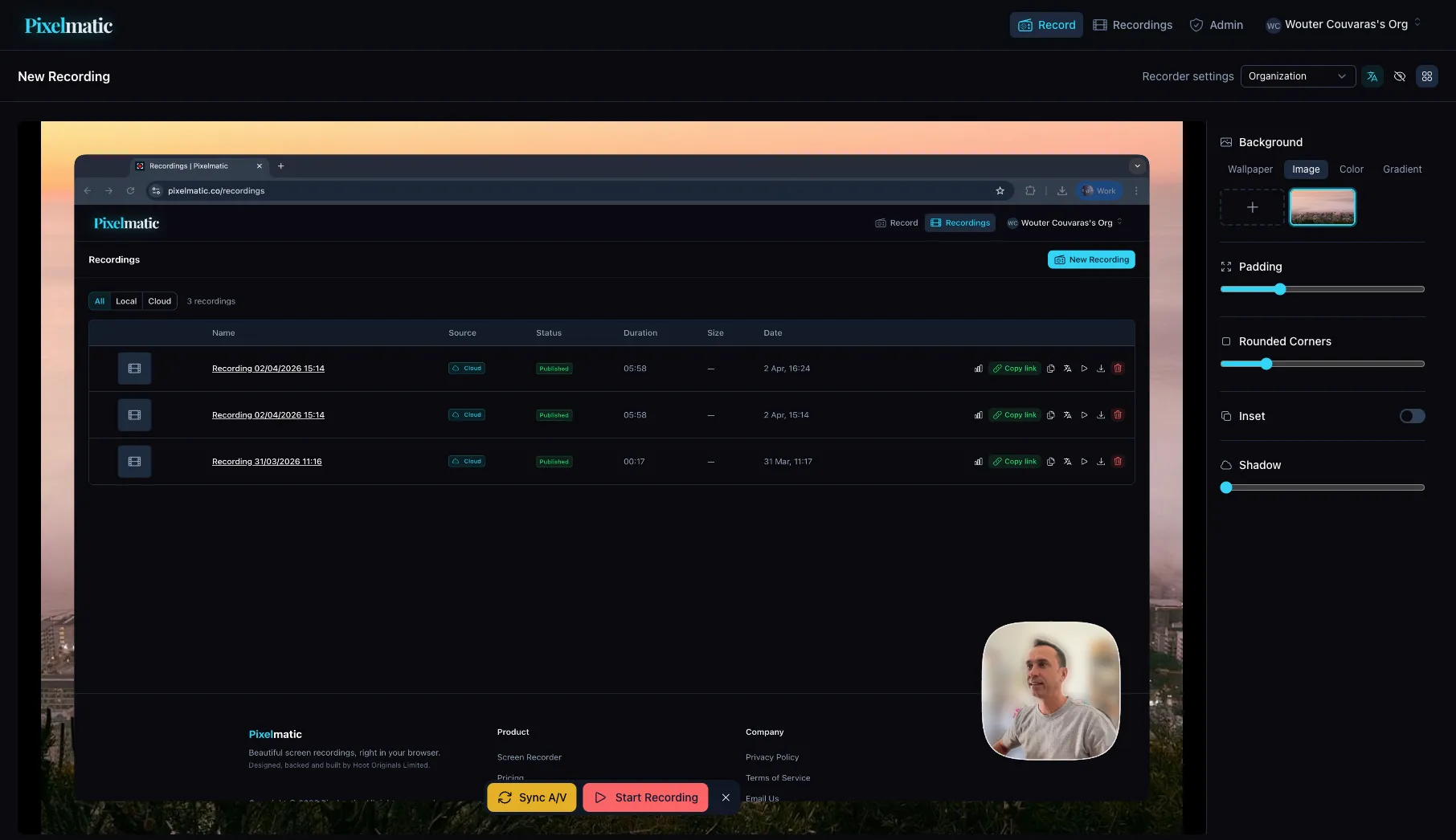
Styled backgrounds, camera bubbles, and rounded frames - live, while you record.
$15 per person, per month. Times 20 people. Do the math.
Choose a pricing tier that suits your business, and add teammates without worrying about costs spiralling.
Everyone on the team records differently. No consistency, no brand.
Set your org's look once - backgrounds, colors, camera style - and every recording matches.
Upload stuck at 94%. Recording lost. Start over.
Recordings save locally first. Upload when you're ready. Nothing is ever lost.
You recorded a great walkthrough but have no idea what was said.
Automatic transcription on every video. Searchable, readable, built in.
No installs. No extensions. No credit card.
Record for free, right in your browser. Upgrade when you need hosting and teams.
Three Modes.
Infinite Possibilities.
Screen
Capture your entire screen with custom frames, backgrounds, and styles.
Screen + Camera
Add a draggable camera bubble overlay. Resize, reshape, and style it your way.
Audio
Record crystal-clear audio with a real-time frequency visualizer.
Frame It Your Way
Every recording is a canvas. Customize backgrounds, padding, corners, and shadows to make your content pop.
One Place. All Your Videos.
From recording to hosting to analytics, every piece of the workflow is built in - so your team never has to juggle half a dozen tools.
Built for Teams,
Not Just Individuals
Most screen recorders are single-player tools with team pricing bolted on. Pixelmatic is multi-tenant from the ground up.
Multiple Organizations
Belong to several orgs at once. Freelancers, agencies, and consultants - switch contexts in one click.
Shared Brand Settings
Set your org's visual style once. Every team member's recordings look consistent and professional.
Roles & Permissions
Owner, Admin, Member - control who can publish, manage settings, and invite teammates.
Per-Org Pricing
Pay by tier, not by seat. Each plan covers a generous band of users, so you can grow your team without growing your bill.
Pay by tier, not by seat.
Each plan covers a generous band of users, so you can add teammates within your tier without watching the meter. Start free — upgrade when your team needs hosting and collaboration.
Short
For creators & small teams
- Everything in Solo
- 75 publishes per month
- 75 GB storage — videos never expire
- Up to 5 team members
- Full analytics
- Org-wide recorder settings
- 14-day free trial
Feature
For teams that run on video
- Everything in Short
- 300 publishes per month
- 300 GB storage — videos never expire
- Up to 25 team members
- Priority transcoding
- 14-day free trial
Blockbuster
For orgs where video is infrastructure
- Everything in Feature
- 1,000 publishes per month
- 1 TB storage — videos never expire
- Unlimited team members
- Custom video domain (coming soon)
- API access (coming soon)
- Priority support
- 14-day free trial
Frequently asked questions.
Do I need to install anything?
No. The recorder runs in your browser. Same on Mac, Windows, and Linux.
Can my teammates watch recordings without an account?
Yes, as long as the recording has been uploaded. Upload a recording (the free plan includes three uploads a month), share the link, your teammate opens it in their browser. No sign-in needed on their end.
How does transcript search work?
Every uploaded recording is transcribed automatically. You search across your team's library, and we jump you to the exact moment where those words were spoken. Search runs across video titles and screenshot filenames too.
What's free, what's paid?
Recording is free. Unlimited, no time limit, no account, WebM saved locally with a small pixelmatic.co watermark. The screenshot editor is also free. Paid plans add cloud hosting, public share links, transcription, library-wide caption search across your org, brand consistency, and team members included by tier.
How is this different from Loom?
The biggest difference is that your team's recordings are searchable across the whole library, not just inside a single recording. Pricing is also different. We charge by tier, not by seat, which works out cheaper for most teams once you're past three or four people.
Does it work for teams across time zones?
That's what it's built for. Record once, share the link, your team watches when they're at their desk.
Where are recordings stored?
On our servers, with org-level visibility on the paid plans. We're happy to chat through the technical details if you need them.