Library-wide search
If you're running a distributed team, half the people you'd normally ask are asleep when you need them. The answer is probably in a Loom-style recap someone made on Friday, or buried in last week's all-hands, or in that long demo a teammate recorded for the customer call rehearsal... but finding the actual ten seconds where it was said is a different problem entirely.
That's the thing we wanted to fix.
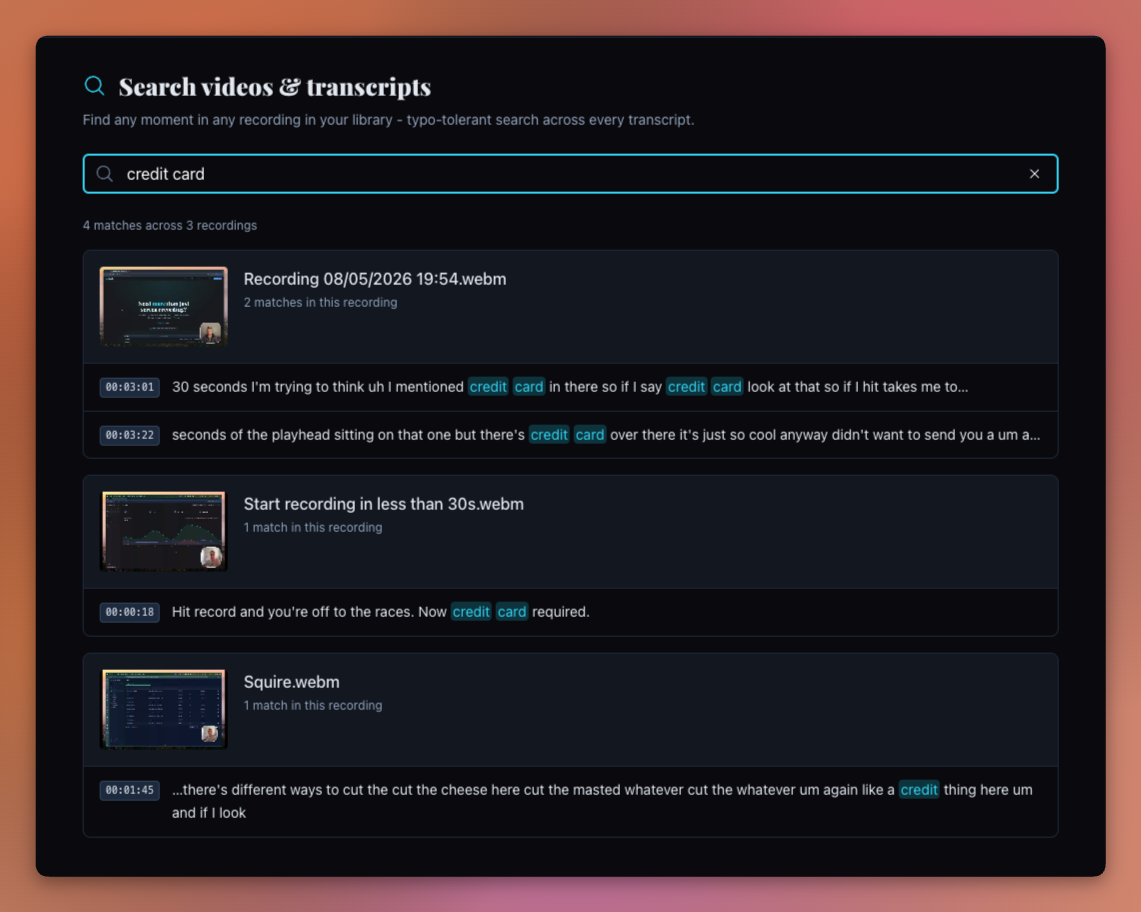
Library-wide search is now live. Type a few words you remember, and we'll search across every video, every transcript, and every screenshot in your organisation.
What it searches
Five things at once:
- Video titles. When you remember the recording by name.
- Screenshot filenames. That product mock someone uploaded as "billing-v3-final.png" is now findable.
- What was actually said. The transcript of every video, fully searchable.
- Tags. The labels your team adds to recordings. Tag a video onboarding and it surfaces on that word.
- Who recorded it. Search a teammate's name to pull up everything they've added.
Multiple matches in one recording get grouped together, so one long all-hands doesn't push everything else off the page. You get the first few matches per recording, and a "+ more in this recording" line if there's a longer trail to follow.
You don't have to spell it right
Search is typo-tolerant.
Type "onbording" and you'll find "onboarding". Type "auth flo" and you'll find "auth flow". You don't need the exact phrase, just something close. Which matters more than it sounds, because half the time, the bit you're hunting for is a half-remembered word from a meeting three weeks ago.
This is what trips people up on traditional search. They know the meeting happened. They just can't remember the exact words.
Click a result, land on the moment
Every transcript match comes with a timestamp on it. Click it, and you land on that moment in the recording: captions view scrolled to the matching line, video player queued just before it.
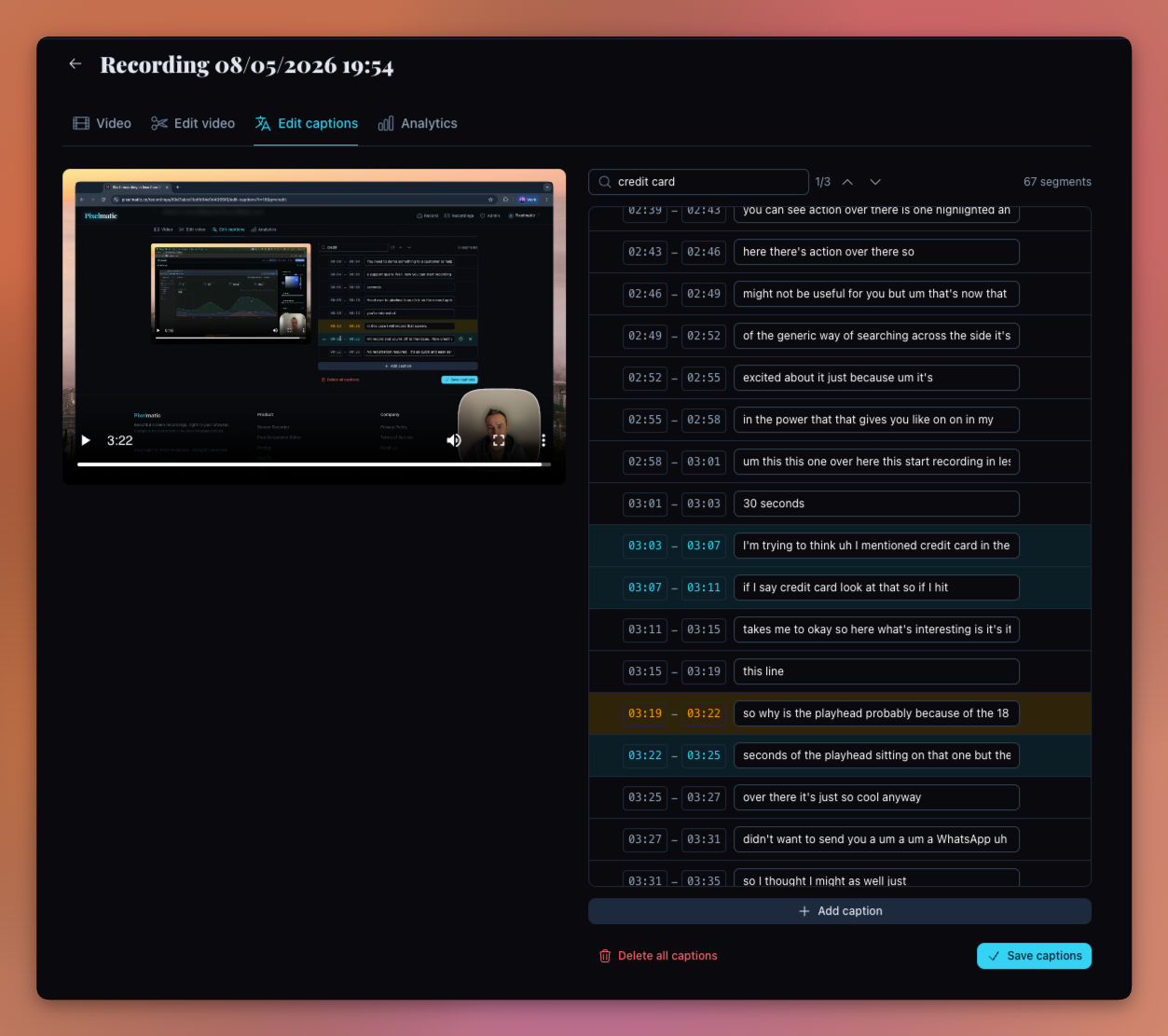
You can hit play and hear it in context. The search term stays highlighted in the surrounding utterances, so even if the first match isn't quite the one, the next one is right there to scan.
⌘K from anywhere
For quick lookups, hit ⌘K (or Ctrl+K on Windows / Linux) from any page in the app. A command palette opens, you type, and results come up as you go.
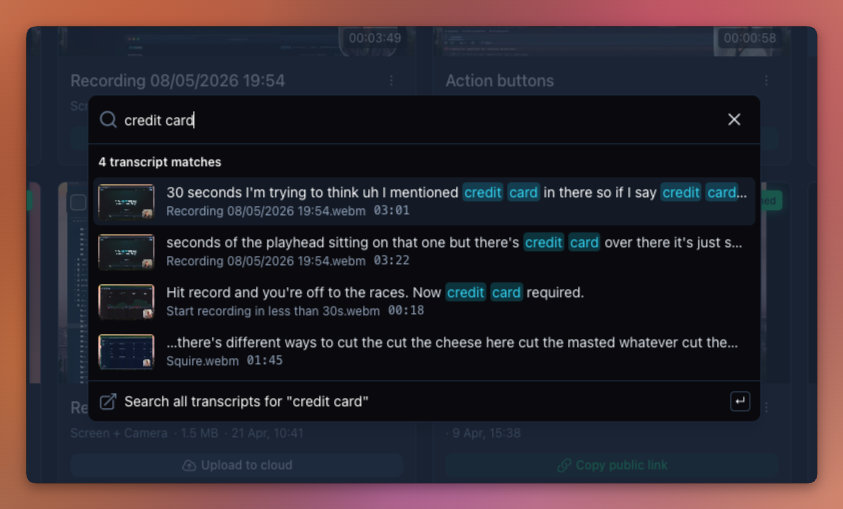
Hit enter on a result to navigate to it. Hit enter on the "Search all transcripts for..." line at the bottom to jump to the full results page with everything else.
Search URLs are shareable too. The query lives in the URL bar (?q=...), so a link like /recordings/search?q=billing-rewrite runs that search for whoever opens it. That's a nice thing to drop into a Slack thread: "go look at the bit where I talked about this".
Always in sync
The index follows your library. Upload a new recording, it shows up in search as soon as the captions are ready. Edit your captions, the search updates. Delete a recording or unpublish a screenshot, those hits drop out.
You don't have to do anything. It just stays current.
A small tip: leave captions on when you record
The whole thing only works if your recordings have captions on them, so our recommendation is to leave captions turned on when you record. That's where the searchable text comes from.
If you'd rather not have captions burned across the video itself, that's a separate choice. Head to your organisation's player settings and turn the Captions default off. The transcript still exists in the background, search still works exactly the same, and any viewer who wants captions can flip them on from the player controls.
You get the searchability without the visual clutter. And the viewer keeps the choice.
Where this really starts to pay off
If your team is distributed, async, or just busy, the real value isn't in the search box itself. It's in what your recordings quietly become.
A product walkthrough. A design review. A bug investigation. A pricing discussion. A customer call recap shared with the rest of the team. A "here's how the new permissions system works" video. The Friday review someone recorded for the people who couldn't make it. All the moments where knowledge moves out of someone's head and onto a recording.
Every one of those used to be a video that fewer and fewer people watched as the weeks passed. Now they're knowledge you can find again, by anyone in the org, in seconds. The library stops being a folder of files. It starts being something closer to team memory you can ask questions of.
Honestly, that's the part we built this for.
What's not in there yet
Since this post went out, we've added two more things to search: the tags your team adds, and who recorded each video. More on both in Search by person and topic. Comments, video descriptions, and team-wide annotations are still coming in a follow-up.
If your library has grown enough that finding things in it has started to feel like a chore, give it a try. Hit ⌘K, type a phrase you know is buried in there somewhere, and see what comes back.
Until next time!
Wouter
Founder