Search your videos from your own website
A while back we shipped library-wide search... type a few words, land on the exact ten seconds where someone said them. It quickly became the way our own team finds things.
But that search lived inside Pixelmatic, behind a sign-in. If you'd published a set of videos for your customers, a product walkthrough series, a help library, a course... your visitors couldn't search them. They could only scroll.
That's what we've opened up. Your published videos are now searchable from your own website.
One tag, and it works
The quickest way in is the embed. One script tag, pasted into your site:
<script src="https://pixelmatic.co/search-widget.js" data-pixelmatic-key="YOUR_API_KEY" async></script>
That gives your visitors a floating search button in the corner of the page:
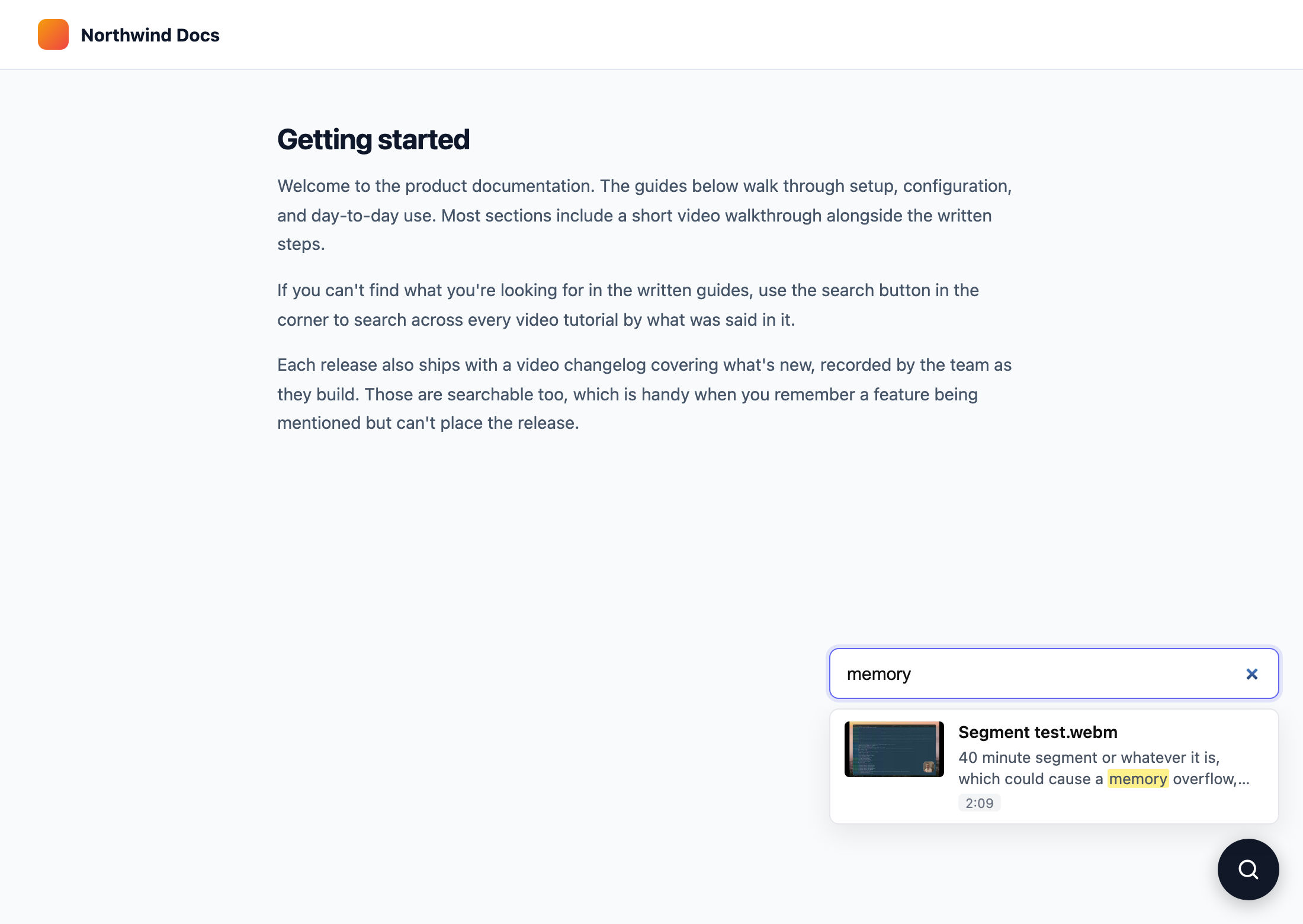
If you'd rather have a search box sitting inside your layout, drop a <div id="pixelmatic-search"></div> where you want it and the box renders there instead. There's also a data-pixelmatic-target attribute if you want to point the script at any element by CSS selector, and data-pixelmatic-placeholder to change the prompt text.
<div id="pixelmatic-search"></div>
<script src="https://pixelmatic.co/search-widget.js"
        data-pixelmatic-key="YOUR_API_KEY"
        data-pixelmatic-placeholder="Search video tutorials…" async></script>
Visitors type, results appear as they go. Each result shows the video title, the matching line from the transcript with the matched words highlighted, and a timestamp. Clicking takes them to the video's public page.
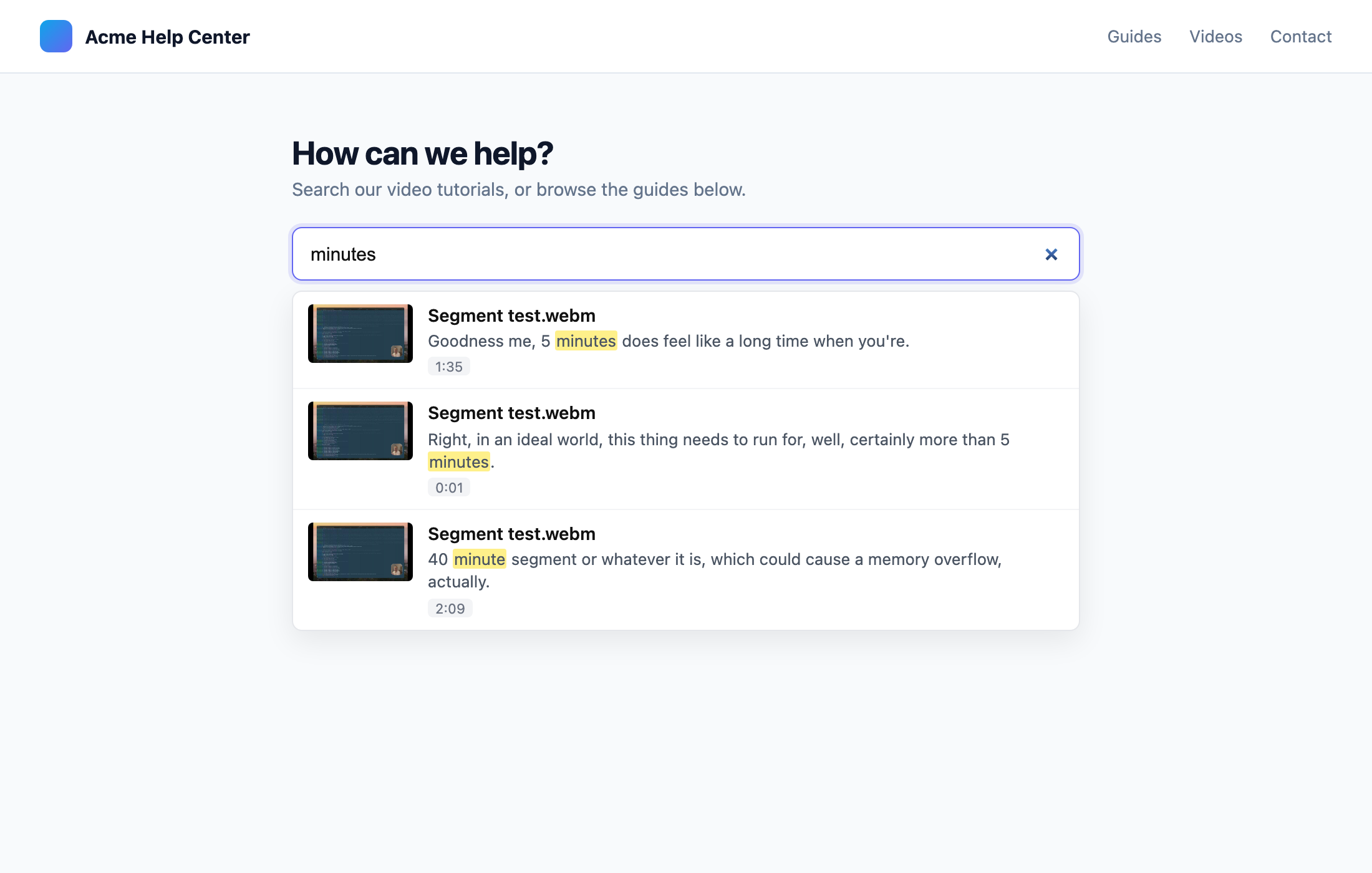
It's the same engine as the library search, so the same forgiveness applies... typos are tolerated, and a half-remembered phrase is usually enough.
Or build it yourself
If you'd rather wire search into your own interface, the widget is optional. There's a plain API underneath:
curl "https://pixelmatic.co/api/public/search/videos?q=onboarding" \
  -H "x-api-key: YOUR_API_KEY"
You get back JSON: titles, highlighted transcript snippets, timestamps, thumbnails, and a link to each video's watch page.
{
  "data": [
    {
      "kind": "moment",
      "videoId": "68f2a41b9c1d2e3f45a6b7c8",
      "title": "Onboarding walkthrough",
      "url": "https://pixelmatic.co/videos/68f2a41b9c1d2e3f45a6b7c8",
      "thumbnailUrl": "https://…/thumbnail.jpg",
      "snippet": "start with the <mark>onboarding</mark> checklist on the left",
      "text": "start with the onboarding checklist on the left",
      "start": 95.1,
      "end": 98.5
    }
  ],
  "total": 3
}
A kind of "moment" is a match inside the transcript, with start and end in seconds. A kind of "video" means the title itself matched. Pass limit and offset for paging, or videoId to search within a single video. Build whatever you like on top of it.
Keys, and who gets to search
Access runs on API keys, managed from Settings → Integrations in your organisation.
Each key carries permissions, ticked when you create it. For search, give it the Search permission. Keys created before permissions existed keep working for search, nothing to redo.
Each key also carries a list of allowed domains. A key locked to https://yourcompany.com only works from pages on that domain, so shipping it in your public HTML is fine... that's what it's for. A key with no domains works server-to-server instead, for when you're calling the API from your own backend.
Keys can be renamed, disabled, cycled (a fresh secret, same settings, the old one stops working immediately), or deleted. The secret is shown once, at creation, and never again. Requests are rate limited per key.
What's searchable, and what isn't
Only published videos. That line is worth being clear about.
Anything unpublished, private, or password-protected stays out of public results entirely... titles, transcripts, all of it. Publishing a video is what makes it searchable from outside, and unpublishing removes it from results again. The search index follows your library the same way it always has.
Where this fits
If you're using Pixelmatic for internal recordings only, nothing changes for you. No key, no public search.
But if you've built something meant to be watched... a support library, product tutorials, a course, a video changelog... your visitors can now find the moment they need instead of scrubbing through videos hoping to spot it. That gap between "the answer exists in a video" and "the person found it" is the same one we closed for teams internally. This closes it for your audience too.
If you try it and something doesn't behave the way you'd expect, tell us. This is a first release, and the rough edges get found by people using it, not by us staring at it.