Let your users show you, right from your app
Most feedback arrives as text describing a video that was never made. A customer hits a bug, sees exactly what went wrong, and then... types. "I clicked the thing and it broke." Three replies later you're still asking which thing.
The person who saw it happen is the best possible narrator of the problem, and the moment to record it is the moment it's on their screen. So we've made our recorder embeddable. You can now put it behind any button on your own site or web app.
One tag
<script src="https://pixelmatic.co/embed.js"></script>
<button data-pixelmatic-embed="YOUR_API_KEY">Send feedback</button>
That's the integration. Any element with the data-pixelmatic-embed attribute becomes a trigger, or you can call Pixelmatic.open() from your own code when you want control over the moment.
Small on purpose
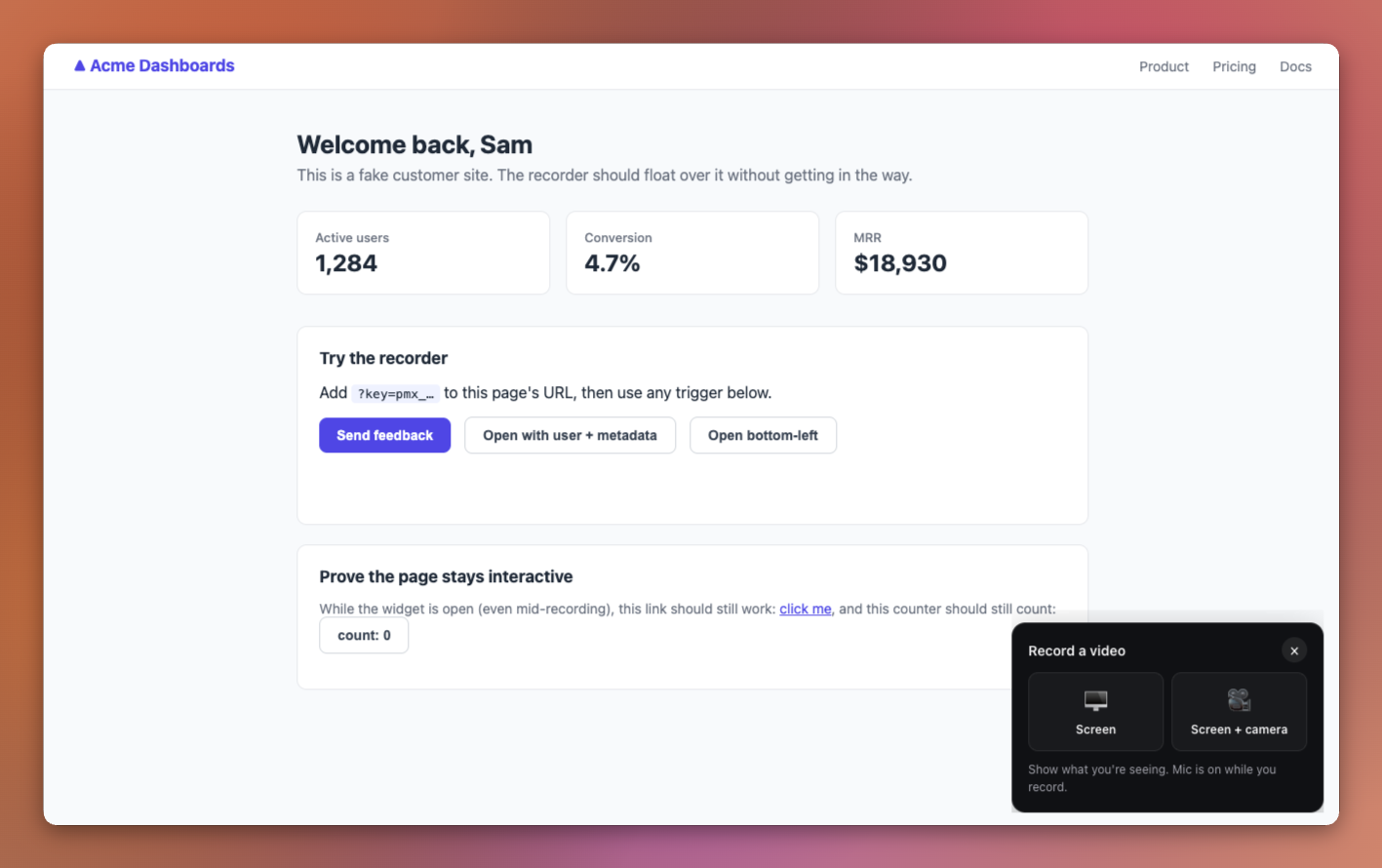
When your user clicks, there's no takeover, no new tab, no modal filling the screen. A small widget appears in the corner of the page: pick screen, or screen plus camera, and record.
While recording, all they see is a round self-view bubble, a timer, and a stop button... with a faint sound wave moving behind the controls so they know their voice is being picked up. The page underneath keeps working the whole time.
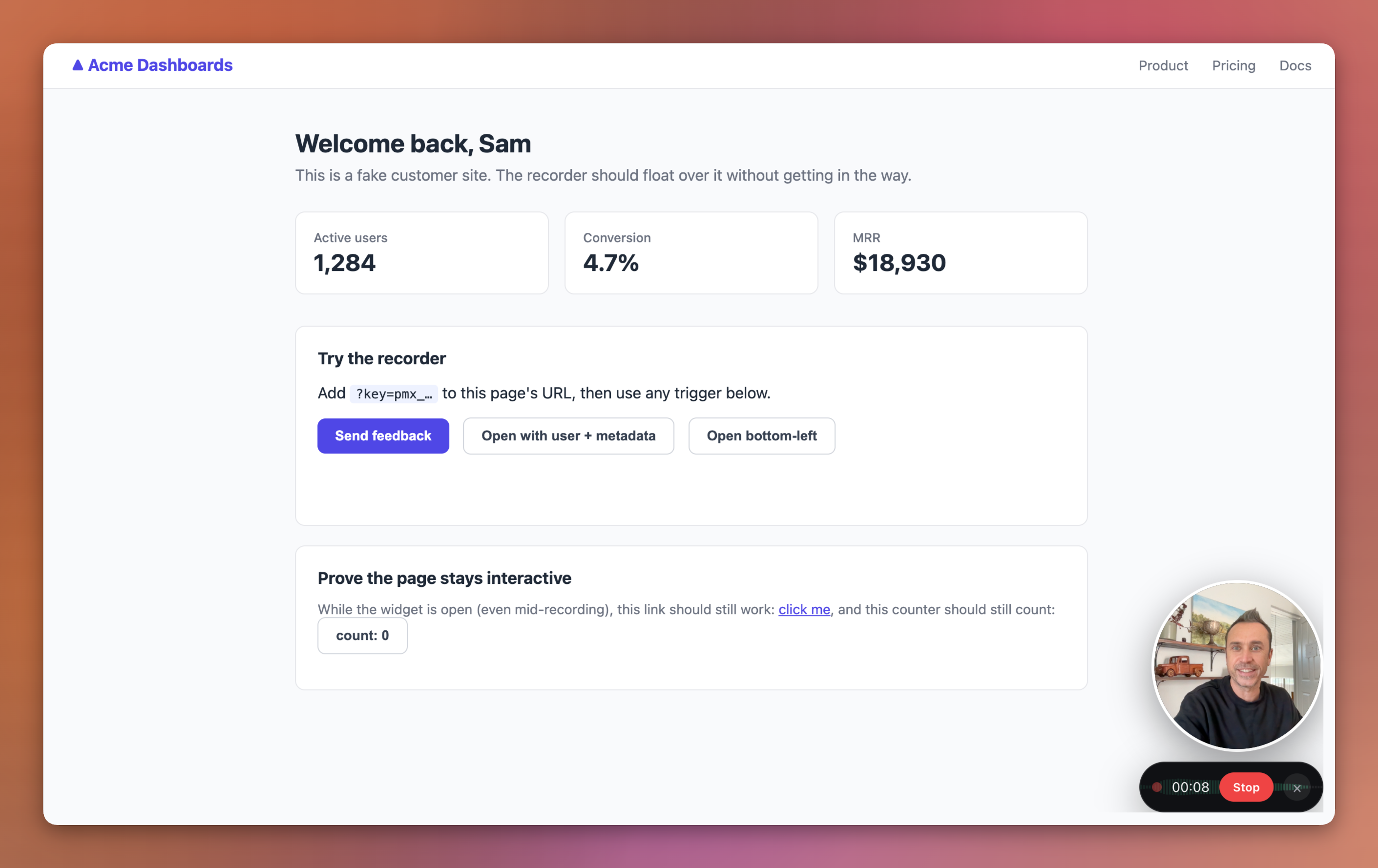
Nothing to install, no account for the person recording. It's the browser's own screen sharing, running from your page.
Private by default
The recording uploads into your Pixelmatic library, unpublished. Your team watches it, searches it, shares it internally... same as any recording you make yourselves. It only gets a public page if the API key carries the publish permission, and that's a box you tick deliberately, not a default. Feedback recorded on your site is usually for your eyes, so that's how it behaves.
You know who recorded
Pass the user's identity and any context from your app, and it's stored with the recording:
<button
  data-pixelmatic-embed="YOUR_API_KEY"
  data-pixelmatic-user='{"id":"u_123","email":"alice@example.com","name":"Alice"}'
  data-pixelmatic-metadata='{"plan":"pro","view":"/billing"}'
>Send feedback</button>
The page URL comes along automatically. So a recording arrives as "Alice, on the billing page, on the pro plan, showing you the problem", not as an anonymous file.
Same keys, new permission
If you've set up the public search embed, you already know the keys. This uses the same ones, managed in Settings → Integrations. Each key carries permissions... search, recorder, auto-publish... plus the list of domains it's allowed to run on. A key locked to your domain and ticked for recording only can't do anything else, so it's safe to ship in your HTML. Cycle or revoke it any time.
What this opens up
A "Report a problem" button inside your app, and bug reports that show the bug. A support portal where customers show you what they're seeing instead of describing it. Client feedback on staging sites. UAT rounds where testers narrate what broke as it breaks. Testimonials collected from a page you control.
Anywhere "just show me" beats "please describe", really.
There's a full write-up on the embeddable recorder page, and the snippet is waiting in Settings → Integrations. If you wire it into something interesting, or something doesn't behave the way you'd expect, tell us. First release, rough edges get found by people using it.